Function
System logs consist of current and archived system logs, which include sensor monitoring records. System logs help diagnose faults.
Viewing System Logs
- Choose Log Information > System Logs > System Logs.
- Select a component type from the Object drop-down list.
The system logs that meet the search criterion are displayed.
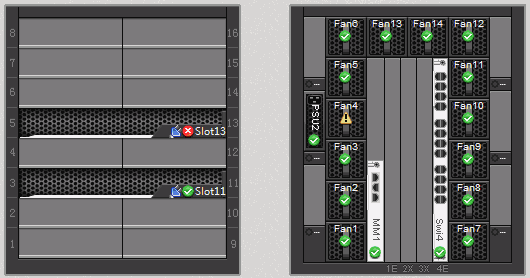
For details about the physical locations of components, see the labels on the chassis emulation panel on the Chassis Information page. Figure 1 shows an example.
View Archived Logs
- Choose Log Information > System Logs > Archived System Logs
- Click
 for the log file to be selected.
The log file content is displayed under File Content.
- Select a component type from the Object drop-down list.
The system logs that meet the search criterion are displayed.